New August ASFS Beta Update

damian

Developer
Staff member
We have a new OPEN BETA update available for those who wish to participate. We will be moving towards official release as soon as possible.

This update addresses some integration, preset, performance and cloud depiction issues, as well as improving smoothing.

Download this beta build from our downloads page.

Update 081226 – B9720 (1.0.9720.20096)

  • Fixed depiction issue that occurred in some cases related to recent preset handling changes
    NOTE: If you are having depiction issues, please ensure MSFS is closed, install this ASFS update, and run ASFS to clear any problematic files, then you can start MSFS, and subsequently restart in any order
Update 071726 – B9694 (1.0.9694.22209)

  • Removed Say Intentions direct integration with ASFS which is no longer supported by the SayIntentions developer. NOTE: This does not affect live weather which is natively compatible, but historical weather integration is no longer supported
  • Fixed issue with preset control/assignments which could cause multiple Active Sky FS Weather Preset files and potential perf issues
  • Improved cloud depiction/smoothing logic to address edge cases where cloud layers may instantly transition or become corrupt
  • Improved smoothing with higher frequency/smoother steps with slower cloud changes
  • Added Active/Passive depiction mode indicator to Wx Mode status on main screen
  • Fixed issue with SimBrief downloader integration related to weather mode
  • Fixed issue with reversed Active/Passive status message
 
Last edited:

dolly

New member
Hello,

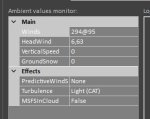
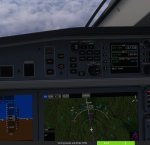
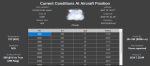
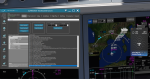
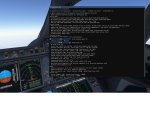
I'm having issue with the wind force. As you can see in the plane, the force is 150knts but in ASFS it show a foce of 88 knts. When I switch to MSFS real time weather, the wind force is 79 knts so pretty accurate (as you can see on the last picture. This is causing my AP to disconnect randomly, which never happened before the ASFS beta
 

Attachments

norab

New member
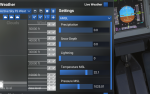
Hi there, my QNH is being sent wrong to the sim. AS says 1014, but QNH in sim is 1025. Have tried with live weather and a fixed snapshot of the live weather. Using B9720

1787149415376.png
1787149435427.png
 

damian

Developer
Staff member
Hello,

I'm having issue with the wind force. As you can see in the plane, the force is 150knts but in ASFS it show a foce of 88 knts. When I switch to MSFS real time weather, the wind force is 79 knts so pretty accurate (as you can see on the last picture. This is causing my AP to disconnect randomly, which never happened before the ASFS beta

Hi there, my QNH is being sent wrong to the sim. AS says 1014, but QNH in sim is 1025. Have tried with live weather and a fixed snapshot of the live weather. Using B9720
What language/units setting are you using, and does using a different units setting resolve the issue?
 

Daveo

Community Manager
Staff member

Daveo

Community Manager
Staff member
This is in 2024? I have only flown it in 2020 because I still have the flickering screen issue in 2024.
Did you double check the transition altitude in the FMC? I didn't notice anything strange in 2020 but I had only made 1 flight and it is
not your typical Airbus so there is a bit to learn.
 

dolly

New member
This is in 2024? I have only flown it in 2020 because I still have the flickering screen issue in 2024.
Did you double check the transition altitude in the FMC? I didn't notice anything strange in 2020 but I had only made 1 flight and it is
not your typical Airbus so there is a bit to learn.
Yes this in 2024. The transition altitude was set correctly. I did a lots of flights with this bird now so I kinda master it now
 

edu2703

New member
Is this only specific to the A220?
I ran some tests and couldn't reproduce this bug with the A220 or any other aircraft. Using the latest beta build (B9720).

It's showing the correct wind speed on cruise level, matched with the ASFS app and what's being injected into MSFS 2024.

asf.png
 
Top