Resolved Active Sky Stuck?

damian

Developer
Staff member
Thank you! So if I just want AS to enhance live weather and not as a preset thing, is it best to have Passive On and Live Weather set in MSFS? I’ll check it’s working tomorrow and then this post can be archived.
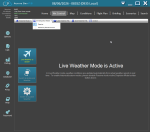
Doesn't matter what you set MSFS wx to, this is controlled by ASFS.
 

BriggZee

New member
Im still having issues with this. I load AS before booting my sim up, load into the departure airport, and it is just clear skies. I've tried shutting the sim down, clearing the AS Weather folder to force it to download again and then try loading in again...but to no avail.

Screenshots attached are how I have it set up & log.
 

Attachments

damian

Developer
Staff member
Im still having issues with this. I load AS before booting my sim up, load into the departure airport, and it is just clear skies. I've tried shutting the sim down, clearing the AS Weather folder to force it to download again and then try loading in again...but to no avail.

Screenshots attached are how I have it set up & log.
You're in passive mode here and confirmed MSFS Live weather. There's nothing ASFS is doing to provide clouds or basic weather parameters, it's all internal to the sim in this mode. So any issues you have having with clear skies are not related to ASFS. If you want ASFS to provide weather, should should enable Active Sky Preset Control mode. If you're not getting clouds, period, you'll need to check for other add-on interference, sim settings issue, or sim installation issues.
 
Top